
Last updated: 23 November 2026. Operator status and sources checked 23 November 2026.
Introduction
Many store owners never check how their product pages actually appear in Google. They assume every product is listed neatly, with a clear title and a working page behind it. In practice, old catalogue pages, duplicate listings, and legacy ASP product pages can sit in the search results for years, sending shoppers to the wrong place. This article solves that problem. It explains what ext:asp intitle:product really finds, how to read the results honestly, and how owners can audit their own product pages without guessing, and without touching anything they do not own.
What Does Ext:ASP Intitle:Product Mean?
The query ext:asp intitle:product is built from two Google search operators, and each one does a different job. Google itself explains how to refine a Google search with special operators, and these two are among the oldest and most useful.
The first part, ext:asp, asks Google to favour pages associated with the .asp file extension. ASP stands for Active Server Pages, a Microsoft server-side technology from the late 1990s. It let developers build dynamic pages on a web server before the finished page reached a visitor’s browser. Classic ASP pages usually run on Microsoft Internet Information Services (IIS) and use the .asp extension.
The second part, intitle:product, asks Google to favour pages with the word “product” in their HTML title. That title is the text a browser shows in a tab, and it is usually the clickable headline in a search result. In practice, the word “product” often points to product pages, product catalogues, product directories, or “Products” overview pages, but it can also appear on pages that only discuss products.
Put together, the query asks Google for a narrow set of pages: pages that look like ASP pages and have “product” in the title. A typical match is a product page or a product catalogue on an older ASP based store or business site. It is a research filter, not a guarantee. Google’s index and its interpretation of operators decide what actually comes back.
Does Intitle: Still Work in 2026?
Yes. Operator guides that rechecked Google operators in 2026 list intitle: as working, along with site: and filetype:. Google itself documents only a small set in its search help, including quotes, site:, the minus sign, before:, after:, and filetype:. Intitle: is not in that documented set, but it still works in practice, as does ext: as an alias of filetype:. Two older operators have not survived. Guides checked in 2026 report that cache: was removed in early 2024 and related: stopped working around mid-2023. Do not rely on either one.
What Kind of Results Does This Query Show?
A search for ext:asp intitle:product can return a mixed set of pages. Real examples from a search for the exact phrase include a product catalogue PDF, a product directory listing, and a software products page, all on sites with ASP in their history. Others are product overview pages, category pages, or help pages about products.
Three limits deserve attention.
First, a result is only a search listing. It does not prove the page is still live, that its products are still sold, or that the site is worth visiting. Some pages are old, some redirect, and some no longer work at all.
Second, Google may show a different title from the one in the page’s HTML. Google sometimes rewrites titles for its results, so the word “product” in a listing is a clue, not proof of the page’s exact title.
Third, results change. As Google re-crawls sites and updates its index, old pages drop out and new ones appear. A single search is a snapshot, not a full inventory of a site.
For SEO professionals and developers, that makes the query a useful starting point for research: how do a site’s product pages appear in search, are there old catalogue URLs still indexed, and is anything showing up that should not be there? The answers always need a second step, opening the page and checking it directly.
Ext:ASP Intitle:Product vs Ext:ASP Intitle:Cart
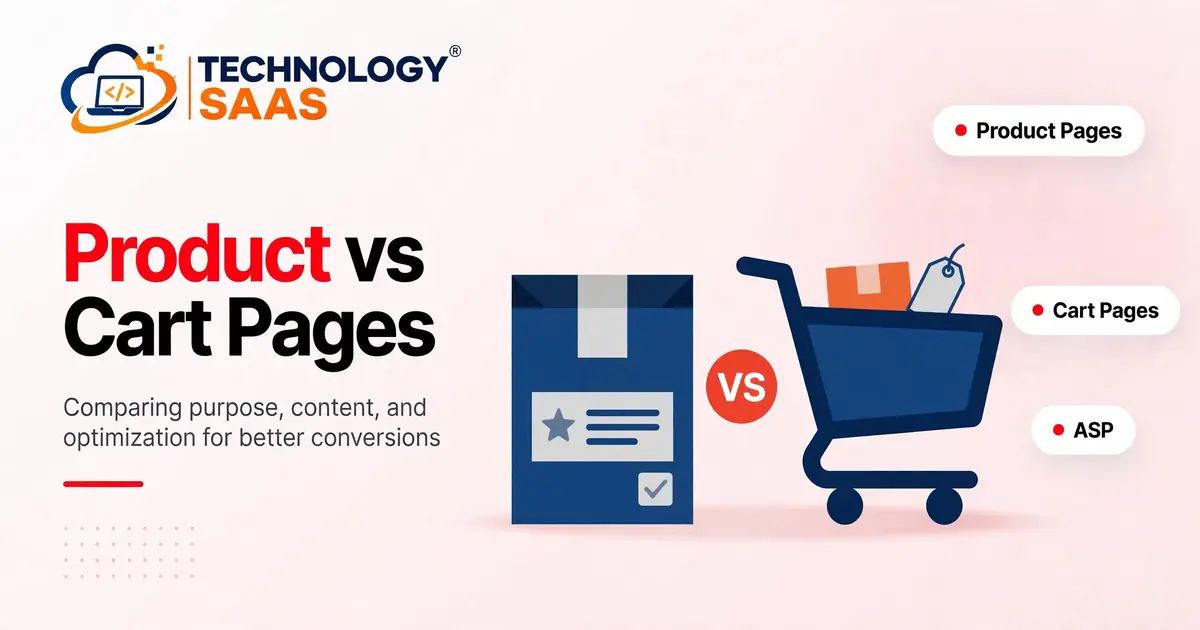
This query is the close companion of the query covered in the Day 1 post, ext:asp intitle:cart. The two queries share the same first operator and differ only in the title word, yet they serve opposite purposes for a store owner.
| Factor | ext:asp intitle:product | ext:asp intitle:cart |
|---|---|---|
| Title word | product | cart |
| Typical match | Product page, catalogue, directory | Shopping cart, basket, checkout page |
| Should it rank in Google? | Usually yes, product pages attract buyers | Usually no, cart pages serve existing shoppers |
| Main risk | Outdated or duplicate listings | Private or session pages in public results |
| Main use | Product visibility audit | Cart visibility and privacy check |
| First fix | Update or remove stale product pages | Add noindex to cart and checkout pages |
The contrast is the point. Product pages are built to be found. They describe something a person can buy, compare, or learn about, so they deserve clear titles, useful descriptions, and a place in search results. Cart pages are built for people who have already chosen products. They depend on a visitor’s session, chosen items, or account status, so the same URL can mean different things to different people, and they rarely help a new visitor.
A store owner who runs both queries gets a fuller picture of the shop. The product query shows what buyers can find. The cart query shows what should stay hidden. Together they form a simple two minute visibility check for any ASP based store.
Ext:ASP vs Filetype:ASP: Are They the Same?
| Question | ext:asp | filetype:asp |
|---|---|---|
| What it asks for | Pages linked to the .asp extension | Pages of the .asp file type |
| Behaviour in Google | Works as an alias of filetype: in practice | The documented form |
| Which to prefer | Use filetype: for the documented form | Use filetype:asp for the same results |
In short, ext:asp and filetype:asp ask Google for the same kind of result. Google documents filetype:, not ext:, so filetype:asp is the safer form to quote in a guide.
Ext:ASP vs Site: A Different Kind of Filter
Ext:asp filters by file extension, across the whole web. Site: filters by domain, across all file types on that domain. Ext:asp intitle:product searches every site for ASP product pages. Site:example.com intitle:product searches one site for product pages of any type. Combine them, as in site:example.com ext:asp intitle:product, for ASP product pages on one domain only. Use site: first when auditing your own store, and ext:asp first when researching how many ASP product pages exist across the web.
Why Product Pages Deserve Search Visibility
Product pages are the pages that turn a search into a sale. A shopper types a product name, a model number, or a problem they need to solve, and a good product page answers that search directly. That is why search engines are usually happy to show them, and why store owners should want them to appear.
A product page earns its place in search results when it is clear and complete. The title should name the product plainly. The description should say what the product does, who it is for, and what makes it different. The page should show the price, the availability, and a way to buy, or to learn more. Thin pages with only a product name and a picture rarely help anyone, and they rarely rank well either.
Duplicate product pages cause the most common problem. A store may list the same product under several URLs, with slightly different titles, after a redesign or a catalogue import. Google then has to choose which version to show, and it may choose the wrong one, or show several weak versions instead of one strong page. A regular audit, starting with a query like ext:asp intitle:product on the store’s own domain, can reveal those duplicates early.
Old catalogue pages are the second common problem. A product that was discontinued years ago can still appear in search results if the page was never removed or redirected. A shopper who clicks it meets a dead end, and the store loses a sale it could have won with a live product page. Checking the results and removing or redirecting stale pages keeps the catalogue honest.
Classic ASP vs ASP.NET at a Glance
The extension in a URL is a hint about one page, not a verdict about a whole website. That distinction matters when reading results from any extension based query.
| Feature | Classic ASP | ASP.NET |
|---|---|---|
| Typical extension | .asp | .aspx |
| Era | Late 1990s, early 2000s | 2000s onwards |
| Common language | VBScript | C# or VB.NET |
| Framework | Script-based pages on IIS | Full application framework |
What ext:asp targets | Yes, by extension | No, use .aspx instead |
Classic ASP was once a common way to build dynamic websites, including early e-commerce systems, content sites, and business applications. Developers often paired it with VBScript and databases such as Microsoft Access or Microsoft SQL Server to manage products, customers, and orders.
Over time, Microsoft introduced ASP.NET, a separate framework. ASP.NET Web Forms pages usually use the .aspx extension, not .asp. So a search for ext:asp is meant to find Classic ASP pages, not every site built with Microsoft technology. Finding a .asp product page does not prove that the whole site still runs Classic ASP today. It only says something about that one page’s address and its likely history.
Many legacy ASP applications are still running, simply because replacing a working system takes time, testing, and money. That is normal. The work for an owner is not to panic about the age of the technology, but to check whether the application is still maintained, whether its server and database permissions are sound, and whether customer data is handled properly. Where an old system can no longer be supported safely, a planned migration is usually better than a rushed one.
Understanding Google Dorking and Its Role in Website Security
Using advanced search operators to find specific kinds of indexed information is often called Google dorking, or Google hacking. The technique became widely known through the work of security researcher Johnny Long, who documented search patterns that could reveal information sites had exposed by accident. Collections such as the Google Hacking Database, available through Exploit-DB, helped security professionals study those risks.
Google dorking is not automatically hacking, and it is not automatically illegal. The operators only help a person find matching content inside a search engine’s index. The method becomes a problem when it is used to enter restricted accounts, take personal data, change website content, or exploit a weakness. Those actions can break the law, a site’s terms of service, or the rights of the site owner, depending on the circumstances and the jurisdiction.
For businesses, the lesson is straightforward: search visibility is part of website security management. Administrators should review which pages and files are publicly available, remove sensitive material from public places, and set up authentication and access controls properly. A robots.txt file, or a request to remove a page from search results, is not a substitute for proper access rules. Content that needs to stay private should be protected at the server or application level.
Anyone carrying out a security assessment should only work on systems they own or have clear, written permission to test. The scope of that permission should be clear before testing starts, and any exposure found should be reported responsibly.
Variations of the Query Worth Knowing
The same two operators can be combined in several useful ways. Each variation answers a slightly different question.
ext:aspx intitle:product finds product pages on ASP.NET sites, the modern Microsoft framework, instead of Classic ASP pages. Owners of newer Microsoft based stores should run this version too.
intitle:products uses the plural form. Some sites title their overview page “Products” rather than “Product”, so the plural catches pages the singular misses.
inurl:product looks for the word “product” in the page address instead of the title. It can surface product pages whose titles do not contain the word at all.
site:example.com ext:asp intitle:product limits the search to one domain. This is the version store owners should use on their own site, because it shows only their own product pages and hides everyone else’s.
filetype:pdf intitle:product finds product catalogues saved as PDF files. Many older stores published their full catalogue as a PDF, and those files often stay indexed long after the catalogue changes.
ext:asp intitle:product -intitle:cart excludes pages that also mention carts in the title. The minus sign removes a word from the results, which helps when a broad query returns too much noise.
Used together, these variations give a fuller audit than any single query. The owner sees the product pages, the catalogues, the duplicates, and the pages that should not be there, all from a few short searches.
How to Use Ext:ASP Intitle:Product in Google, Step by Step
- Open Google and type the query exactly, with no space after either colon: ext:asp intitle:product
- Scan the first page and note which results are real product pages, catalogues, or directories, and which only mention products.
- Add site:example.com at the start, using your own domain, to see only your own product pages.
- Open each result and confirm the page is live, the product is still sold, and the title matches the listing.
- Try one variation at a time, such as ext:aspx intitle:product or intitle:products, and note what each variation adds.
- Record stale pages, duplicates, and pages that should not be there, then fix them in the audit steps below.
Three More Uses for This Query
Academic research: a researcher studying older e-commerce systems can use ext:asp intitle:product to find live examples of Classic ASP product pages, then cite the pages actually opened, with the date checked. The query is a starting point for a sample, not a complete census, because Google only shows pages it has indexed.
Content discovery: a writer planning a product guide can use the query to see how older stores present catalogues and which product pages have stayed indexed for years. The useful question is not how many results appear, but which pages still earn clicks and why.
Researching website migrations: before a migration, run site:example.com ext:asp intitle:product on the old domain and save the list of product URLs. After the migration, run the same query again and compare the lists. Pages in the first list but not the second need a check for a missing redirect, a wrong canonical tag, or a page that was never moved.
Bing vs Google: Why the Same Query Can Give Different Results
Google and Bing keep separate indexes, so the same query can return different pages on each engine. Run both when the result matters, and do not treat a Bing result as proof of a Google ranking, or the other way round. Both support site:, filetype:, ext:, and intitle:. Bing also documents contains:, which finds pages that link to a file type, inbody:, Bing’s version of Google’s intext:, inanchor:, and ip:. Google uses intext: for body text and does not offer a public ip: operator. Bing treats ordinary words as AND by default, and its NOT and OR need capital letters. Use Google first, then run the same site: query on Bing to catch pages Google has dropped or never indexed.
How Store Owners Can Audit Their Own Product Pages
Store owners running older e-commerce systems can audit their product pages with a small set of practical steps. The routine takes less than an hour for a small store, and it is worth repeating after every major site change.
First, search the site with site:example.com ext:asp intitle:product and note what appears. The store’s own domain goes in place of example.com. The results show which product pages Google currently lists.
Second, open each result and confirm whether the page is live, old, or redirected. A page that returns an error, shows a discontinued product, or redirects to the homepage needs attention.
Third, check the title and description of each live product page. The title should name the product plainly, and the description should say what it does and who it is for. Pages with missing, duplicated, or auto generated titles should be rewritten.
Fourth, fix duplicates. If the same product appears under several URLs, choose one canonical version and redirect the others to it, or ask the site developer to set a canonical tag. One strong page beats several weak copies.
Fifth, remove or redirect stale catalogue pages. A discontinued product page should either redirect to a live replacement or return a proper not found status, not sit in search results as a dead end.
Sixth, keep cart and checkout pages out of the results. Consider a noindex directive for cart, checkout, and account pages that should not appear in Google Search. Google needs to be able to crawl to read a noindex instruction, so do not block those same URLs in robots.txt if Google needs to read the tag. The full cart protection steps are covered in the Day 1 post on ext:asp intitle:cart.
A Short Checklist for Owners
A simple checklist helps store owners turn the audit into action.
- Search the site with
site:example.com ext:asp intitle:productand note what appears. - Open each result and confirm whether the page is live, old, or redirected.
- Check that each live product page has a clear, unique title and description.
- Redirect duplicate product URLs to one canonical version.
- Remove or redirect discontinued product and catalogue pages.
- Run
ext:aspx intitle:producttoo, to catch ASP.NET product pages. - Add
noindexto cart, checkout, and account pages, and keep them out ofrobots.txtblocks so Google can read the tag. - Protect customer data with authentication and server-side access rules, not with search settings alone.
- Repeat the check after major site changes, not just once.
Removing a Product Page That Is Already Indexed
A noindex tag stops a page from appearing in future results, but it takes time, because Google must recrawl the page to read the tag. When a stale product page needs to disappear quickly, use the removal tools, after fixing the page itself. In Google Search Console, open the Removals tool, choose Temporary Removals, and submit the exact URL. A successful request blocks the URL from Google Search results for about six months (Google Search Console Help, Removals and SafeSearch reports tool). That block is temporary. To make the removal permanent, also delete the page so it returns a proper 404 or 410 status, add noindex, or redirect it to a live replacement, then let Google recrawl it. A removal request on its own, with no source fix, will not keep the page out of results. Bing Webmaster Tools has its own Block URLs tool for the same job. A temporary block there is described in Bing guides as lasting 90 days. That 90 day figure comes from Bing Webmaster Tools guides, not from a Microsoft documentation page opened for this fix, so confirm the current duration inside Bing Webmaster Tools before quoting it.
FAQs
What does ext:asp intitle:product mean?
It combines two Google search operators. ext:asp targets pages associated with the .asp file extension, while intitle:product looks for pages with the word “product” in their titles. The results may include product pages, catalogues, and directories, but they are not guaranteed to be active e-commerce pages or to use Classic ASP throughout the site.
What is the difference between ext:asp intitle:product and ext:asp intitle:cart?
The two queries differ only in the title word, but they serve opposite purposes. The product query finds pages that should usually rank, because product pages attract buyers. The cart query finds pages that should usually stay out of search results, because cart pages serve shoppers who have already chosen products. Store owners benefit from running both.
Is Google dorking illegal?
Google dorking is a search technique that uses advanced operators to locate publicly indexed information. Using these operators for legitimate research, or to assess a website the reader owns, is not inherently illegal. Trying to access restricted information, exploit vulnerabilities, or modify systems without authorisation may break applicable laws. Security testing should always follow a clear scope and authorisation.
How can website owners improve their product pages in search results?
Owners can give each product page a clear, unique title and description, remove duplicate URLs, and redirect discontinued product pages to live replacements. Product pages that describe the product plainly, show the price and availability, and answer buyer questions tend to perform better than thin or duplicated pages.
Why do old ASP product pages still appear in Google?
Old pages stay in the index until Google re-crawls them and learns they changed, moved, or disappeared. A page that was never removed or redirected can remain listed for years. Regular audits with queries like ext:asp intitle:product reveal those stale pages so owners can fix them.
Final Words
The search query ext:asp intitle:product shows how advanced Google search operators can narrow down indexed web pages by file extension and title words. It can be useful for SEO research, website analysis, legacy application reviews, and understanding how publicly accessible content appears in search results. Its results should always be read carefully, because an indexed page does not necessarily reflect a website’s current technology, live status, or product range.
For website owners, the wider lesson is that product visibility deserves the same attention as product quality. A good product on a stale, duplicated, or hidden page cannot win the sale it deserves. Reviewing indexed URLs can reveal outdated or unintended public pages, while clear titles, honest descriptions, and careful redirects keep the catalogue useful for shoppers and for search engines alike.
In the end, ext:asp intitle:product is best understood as a research query, not a definitive diagnostic tool. Search operators can reveal useful leads, but meaningful conclusions need context, verification, and responsible investigation.